Best Compact Mouse for Students: Logitech M185 Wins

Five compact mice, ranked for the backpack-and-lecture-hall crowd. One wins on warranty and battery life, one wins on grams, and one wins on a price that hurts nobody.

By Samuel HarrisUpdated 14 min read
On this page
- Who this guide is not for
- Best compact mouse for students at a glance
- How the five picks were screened
- 1. Logitech M185 — Best overall
- 2. Logitech M196 — Best for beginners
- 3. TECKNET Compact Ambidextrous Wireless Mouse — Best for pros
- 4. seenda Wireless Mouse — Runner-up
- 5. Verbatim Mini Travel Optical Mouse — Best budget pick
- Wireless, Bluetooth or wired: which one for a lecture hall?
- How small is too small for a student's hand?
- What the listings do not say about battery life
- Colour and quiet clicks: do they matter in class?
- The verdict
- FAQ
The best compact mouse for students is the Logitech M185, a 4.8 oz ambidextrous wireless mouse backed by a 3-year limited warranty and up to a year of battery life on a single AA. If your laptop is USB-C only, the Logitech M196 is the better buy at 2.65 oz over Bluetooth, with a 12-month battery claim and a one-year warranty.
Who this guide is not for
Students who want a gaming mouse, a vertical ergonomic mouse, or anything with programmable side buttons should stop here. None of the five picks in this set carry those features, and pretending otherwise would waste your time. This is a guide about small, cheap, quiet mice that survive semester after semester in a backpack.
Amazon's search for a compact mouse for students returned a mix that only partly answers the "student" qualifier. There is no field in any of these listings that certifies a mouse as classroom-ready, so the label is really a shorthand for four things: it fits in a laptop bag, it does not annoy the person next to you in a lecture, it does not need charging every week, and it does not cost enough to hurt when it gets lost. The five picks below all satisfy the first, most of them satisfy the rest, and the guide is honest about which ones fall short.
Best compact mouse for students at a glance
| Pick | Weight | Connection | Price |
|---|---|---|---|
Best overall Logitech M185 |
4.8 oz | 2.4 GHz USB-A dongle | Check Price |
Best for beginners Logitech M196 |
2.65 oz | Bluetooth, no dongle | Check Price |
Best for pros TECKNET TK-MS006 |
2.89 oz | 2.4 GHz USB-A dongle | Check Price |
Runner-up seenda WGSB-012 |
1.76 oz | 2.4 GHz USB-A dongle | Check Price |
Best budget pick Verbatim Mini |
1.6 oz | Wired USB 2.0 | Check Price |


How the five picks were screened
I started with the compact mouse category and cut anything that would not fit the brief for a student. Three reasons cut the most listings.
First, size. Any mouse over about 4.5 inches long is a desktop mouse, not a compact one, and it does not belong in a lecture-hall bag. Every pick here is under 4 inches on its longest dimension, with the Verbatim Mini at 3.03 in and the Logitech M185 at 3.89 in.
Second, weight. A compact mouse for students has to disappear inside a bag beside a laptop, a notebook and a water bottle. The heaviest pick here is the M185 at 4.8 oz. Four of the five are under 3 oz.
Third, complexity. Programmable macros, tilt scroll wheels and RGB lighting all belong on a different guide. What survived is five mice with a wheel, two buttons and, in some cases, a DPI switch. That is the right feature set for coursework, browser tabs, and a slide deck.
1. Logitech M185 — Best overall
The M185 is the compact mouse for students who want to buy once and forget about it for the rest of their degree.
Best for: a student who wants one mouse to survive four years of coursework Skip it if: your laptop has no USB-A port
Among these five, the M185 is the only pick with a 3-year limited warranty. That is three times the coverage of the Logitech M196 and the Verbatim Mini, and it dwarfs the 30-day term listed against the TECKNET. For a mouse living in a backpack, warranty length is the specification that quietly matters most, because a compact mouse dies from cable strain, drops or a stuck scroll wheel long before it dies from age. Logitech also states up to 1 year of battery life on a single AA, which is included in the box, and a 33 ft / 10 m range for the 2.4 GHz link. The shape is contoured and ambidextrous, so a left-handed roommate can borrow it without complaint. The trade-offs are real. At 4.8 oz it is the heaviest of the five, its 2011 design shows in the bulkier body, and the USB-A dongle rules it out for a MacBook without an adapter. For most students on Windows laptops or older Macs, none of that matters.
Pros:
- 3-year limited warranty, the longest in this set
- Up to 1 year of battery life on the included AA
- 33 ft wireless range over 2.4 GHz
- Ambidextrous shape works for either hand
- Logitech M185 is the most established design here, dating to 2011
Cons:
- Heaviest pick in the set at 4.8 oz
- USB-A dongle rules it out for USB-C-only laptops
- Older shape than the M196 and TECKNET
2. Logitech M196 — Best for beginners
The M196 is the modern Bluetooth answer for a student whose laptop has surrendered its last USB-A port.

Best for: tablet users and anyone whose laptop only has USB-C Skip it if: you want the longest possible warranty
Released in 2024, the M196 is the newest design in this roundup and the only pick built around Bluetooth rather than a 2.4 GHz dongle. Logitech says it pairs in seconds with no dongle or port required, which is the difference between "works with a MacBook Air" and "does not". At 2.65 oz it weighs a hair over half the M185 and slips into a smaller bag pouch, and Logitech quotes a 12-month battery life on the included AA. The company also states that the plastic parts contain 66% post-consumer recycled plastic on the Rose colour, which is the sort of claim a school-supply list sometimes asks about. The trade-offs against the M185 are worth naming clearly. The warranty runs one year rather than three. There is no stated wireless range figure in the listing, and Bluetooth mice in general are more sensitive to interference in a room full of laptops than a dedicated 2.4 GHz link. If your laptop has a spare USB-A slot, the M185 is still the safer four-year buy.
Pros:
- Bluetooth pairing, no dongle needed
- Light at 2.65 oz
- 12-month battery life claim from Logitech
- Recycled plastic content on the Rose colour
- Ambidextrous shape
Cons:
- 1-year limited warranty, shorter than the M185's 3
- Bluetooth can be flakier than a 2.4 GHz dongle in busy rooms
- No published wireless range figure
3. TECKNET Compact Ambidextrous Wireless Mouse — Best for pros
The TECKNET is the pick for the student who studies in shared spaces and needs a quiet click and a DPI switch.

Best for: small hands and shared study spaces where quiet clicks matter Skip it if: you need coverage beyond the first month
The TECKNET TK-MS006 is the only pick in this set with an explicit DPI switch, and TECKNET describes three levels: 1600, 1200 and 800. That is a genuinely useful feature for a student who edits photos, works on a small external display, or needs a slower cursor for detailed slide work. The listing also calls out soft, quiet clicks, which the seenda echoes but neither Logitech pick claims in writing. TECKNET quotes a 49 ft wireless range over 2.4 GHz, the longest reach in this set, and lists dimensions of 3.94 x 2.28 x 1.52 in in the feature bullets themselves, geared toward small to medium hands. The specification table lists a slightly different footprint of 0.1 x 4 x 2.48 in, which is worth eyeballing against the product photo before you commit. Where the TECKNET stumbles hard is the warranty: 30 days is by far the shortest in this roundup, and it is the reason this pick lands third rather than higher. A quiet, cheap, feature-rich mouse with a one-month backstop is a calculated bet.
Pros:
- Three-step DPI switch at 1600 / 1200 / 800
- 49 ft wireless range claim
- Soft-click design for shared study spaces
- Light at 2.89 oz
- Mint green colour stands out in a bag
Cons:
- 30-day warranty, the shortest in this set
- Two conflicting dimension figures on the listing
- USB-A dongle only, no Bluetooth option
4. seenda Wireless Mouse — Runner-up
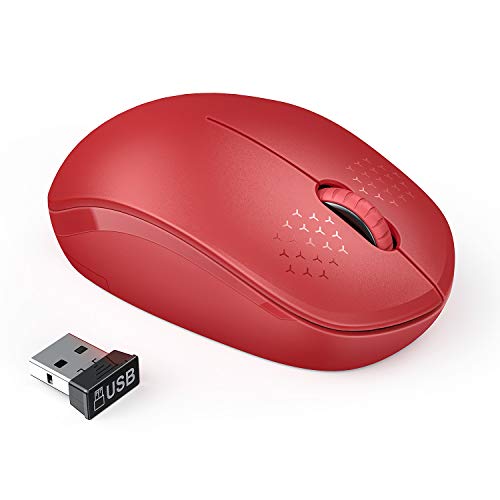
The seenda is the lightest wireless pick here at 1.76 oz, and the runner-up for anyone who counts every gram in a bag.
Best for: packing the lightest possible mouse into a crowded bag Skip it if: you want a modern Bluetooth connection
At 1.76 oz the seenda WGSB-012 is lighter than every other wireless mouse in this set, including the newer Logitech M196. It runs on a single AA, which seenda notes is not included in the box, and enters a sleep mode after ten minutes of inactivity to stretch the battery. The 2.4 GHz link is rated at 33 ft, matching the M185, and the click is marketed as noiseless. The unusual thing here is the warranty language: seenda offers a 24-month money back or free replacement policy on defective units, which sits between the Logitech M196 and the M185. That is more coverage than the TECKNET or Verbatim, and it is the reason the seenda outranks the Verbatim despite being pricier in this set. The reason it does not outrank either Logitech is compatibility. The listing calls out Windows XP, Vista, 7 and older Mac OS versions, which is a warning sign for a student on a current-generation laptop, and there is no Bluetooth option to fall back on.
Pros:
- Lightest wireless pick at 1.76 oz
- 24-month replacement policy on defective units
- Noiseless click design
- 33 ft wireless range
- Sleep mode after 10 minutes
Cons:
- AA battery not included
- Compatibility listing skews to older operating systems
- No Bluetooth option
5. Verbatim Mini Travel Optical Mouse — Best budget pick
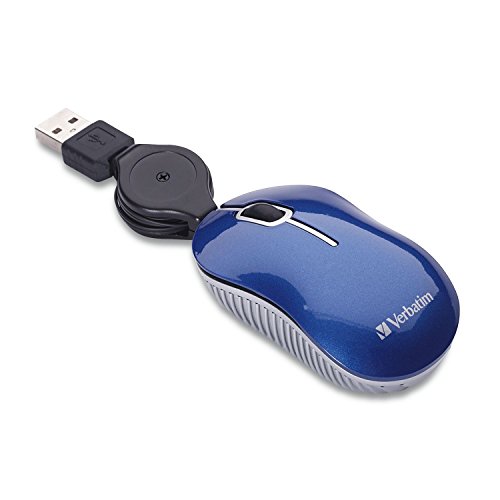
The Verbatim Mini is the wired, no-fuss compact mouse for students who never want to think about batteries or pairing again.
Best for: a spare mouse for the library computer or a backup in the pencil case Skip it if: you refuse to carry a cable
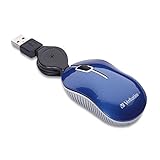
The Verbatim Mini is the cheapest pick in this set, the lightest at 1.6 oz, and the only wired option. Verbatim says the retractable USB 2.0 cable stops tangles and removes the need to wrap the cord around the body for travel. For a student, that translates into a mouse that fits in a pencil case, plugs into the library desktop with zero setup, and never leaves you stranded because a AA battery died mid-exam. The optical sensor covers everyday laptop work, and the one-year limited warranty is standard for the price position. What you give up is obvious. There is no wireless freedom, no DPI switch, no Bluetooth, no advertised quiet click. Compared to the two Logitech picks, the Verbatim is the roughest shape in the set and the specification list is the thinnest, with no released weight for the cable or claimed battery life to compare because there is no battery. As a primary mouse, the two Logitech picks are better buys. As a backup that lives permanently in a laptop bag, this one earns its slot.
Pros:
- Cheapest pick in this set
- Wired USB 2.0, no batteries required
- Retractable cable
- Lightest overall at 1.6 oz
- 1-year limited warranty
Cons:
- Wired-only, the cable is always there
- No DPI switch or quiet-click claim
- Thinnest specification list of the five
Wireless, Bluetooth or wired: which one for a lecture hall?
The connection decides more than shoppers realise, and it is the first thing to settle before comparing weights and colours.
- 2.4 GHz USB-A dongle. The Logitech M185, TECKNET and seenda all use this. It is the most reliable in a crowded room, has the longest published ranges here (33 ft on the M185 and seenda, 49 ft on the TECKNET), and does not care about Bluetooth drivers. It requires a spare USB-A port.
- Bluetooth. Only the Logitech M196 uses this. It is the right pick if your laptop has only USB-C ports, if you switch between a laptop and a tablet, or if you find yourself losing tiny dongles.
- Wired USB 2.0. Only the Verbatim Mini. It is the pick for a student who wants zero setup and zero battery anxiety, at the cost of a cable to manage.
If your laptop is a recent MacBook or a thin Windows ultrabook without USB-A, the M196 is the only fully compatible pick in this set without an adapter. If you have USB-A to spare, the M185's warranty and battery life put it ahead.
How small is too small for a student's hand?
Compact mice trade grip comfort for portability, and the boundary is worth knowing before you order.
- Above roughly 3.8 inches long, a mouse sits like a normal desktop model in a full-sized hand. The Logitech M185 at 3.89 in is the only pick here in that range.
- Between about 3.5 and 3.8 inches, the mouse fits a medium hand for a full study session but feels cramped after two hours. The TECKNET falls near this window.
- Below 3.5 inches, and especially in the 3-inch and under range where the Verbatim Mini sits at 3.03 in, a mouse is a travel tool, not an all-day workstation. Fingers rest on the desk rather than the shell, and long editing sessions get tiring.
If you plan to use the mouse for hours of writing, spreadsheets or coding, aim high on that list. If it is a companion tool for slide clicks and browser tabs between longer stretches on the touchpad, aim small.
What the listings do not say about battery life
Battery claims are worth reading with care because they are all manufacturer figures, not measured tests.
Logitech says the M185 lasts up to 1 year on a single AA, and that the M196 lasts up to 12 months on a single AA. Both include the battery in the box. Seenda quotes no specific run time but notes the 10-minute sleep timer. TECKNET publishes no battery life figure at all, though the dongle-based design means AA or AAA cells depending on the unit. Verbatim needs no battery because it is wired.
In practice a year-long claim assumes light use with the sleep mode doing most of the work. A student who leaves a mouse switched on inside a closed bag, or who uses it for six hours a day, will replace batteries more often. The included AA on the two Logitech picks is a small but real advantage the first time you unbox the mouse in a coffee shop.
Colour and quiet clicks: do they matter in class?
Two soft features come up repeatedly across the listings, and both are worth a moment.
Quiet clicks are called out by TECKNET and seenda, and are absent from the two Logitech and Verbatim listings. In a shared study room or a quiet library, a soft-click mouse is the difference between an annoyed neighbour and one who never notices you are there. It is not a specification with a decibel figure attached, so treat it as a claim rather than a measurement.
Colour matters more than it looks. The seenda ships in red, the TECKNET in mint green, the Logitech M196 in rose, the M185 in swift grey and the Verbatim in blue. A brightly coloured compact mouse for students is easier to spot at the bottom of a bag, easier to identify on a shared desk, and less likely to walk off with somebody else's grey one. If you tend to lose things, avoid the grey.
The verdict
If you are on a Windows laptop or a Mac with USB-A, buy the Logitech M185. The 3-year warranty is three times what any other Logitech pick offers here, the up-to-1-year battery life on an included AA covers most of an academic year, and the 33 ft wireless range is more than enough for a lecture hall. At 4.8 oz it is the heaviest pick in this set, but heaviest here still means under a third of a pound, and the extra grams buy a sturdier shell.
If your laptop is USB-C only, buy the Logitech M196. It is 2.65 oz over Bluetooth, with a 12-month battery claim and a 1-year warranty. The M196 is the modern default for tablets and current-generation laptops, and giving up two years of warranty for dongle-free pairing is a fair trade.
The cutoff is the USB-A port. Above it, take the M185. Below it, take the M196. If cost is the deciding factor, the Verbatim Mini is the only wired pick here and the cheapest of the five, at the price of carrying a cable.
FAQ
Is a compact mouse for students worth it over a laptop touchpad?
A compact mouse for students is worth it for anyone doing more than casual browsing on a laptop. Logitech cites a study saying users were 50% more productive with the M185 over a touchpad, which is a manufacturer claim, not an independent test. In practice, spreadsheet work, image editing and long writing sessions are noticeably faster with a mouse, and the compact size means it fits in the same bag as the laptop.
Which is quieter, the TECKNET or the seenda?
Both the TECKNET TK-MS006 and the seenda WGSB-012 market themselves as soft-click, noiseless mice. Neither listing publishes a decibel figure, so a direct comparison is not possible from the data alone. Either is a safer classroom pick than the two Logitech models or the Verbatim, none of which claim a quiet click. If your priority is silence in a shared room, choose between these two on connection type and warranty.
Does the Logitech M196 work with an iPad or a Chromebook?
The Logitech M196 uses Bluetooth with no dongle or port needed, which makes it compatible with any iPad, Chromebook or laptop that supports a standard Bluetooth mouse. Logitech markets the M196 as a portable mouse for laptops and tablets in the listing. The M185, by contrast, uses a USB-A dongle, so it needs a full-sized USB port or an adapter to work on those devices.
Logitech M185 vs Logitech M196: which is the better student mouse?
The Logitech M185 wins on warranty at 3 years to the M196's 1, and on battery life at up to 1 year to the M196's 12 months, though those two claims are effectively the same. The M196 wins on weight at 2.65 oz versus 4.8 oz, on connection with Bluetooth versus a dongle, and on age with a 2024 design versus 2011. Pick the M196 for a USB-C laptop, the M185 for anything else.
What is the biggest mistake when buying a compact mouse for students?
The biggest mistake is choosing on price alone and skipping the warranty line. Compact mice for students live in backpacks, get dropped on lecture-hall floors, and see their scroll wheels jammed with pocket lint. The TECKNET's 30-day term is the shortest in this set, and the Verbatim and M196 both run 1 year. The M185's 3-year limited warranty is the reason it outlasts cheaper picks over a four-year degree.
Before you order, check one thing on your laptop: whether it has a full-sized USB-A port. That single detail decides between the Logitech M185 and the Logitech M196, and it is the difference between a mouse that pairs in seconds and one that needs an adapter you will lose. The M185 is the default recommendation for a reason. Three years of warranty, a year of battery life on a bundled AA and a 33 ft wireless range add up to a mouse that quietly does the job through every deadline, group project and last-minute essay of the academic year.