Best Power Supply for Raspberry Pi 3 B+: iUniker Wins
![[5V 3A UL Listed] iUniker Power Supply for Raspberry Pi 3](https://m.media-amazon.com/images/I/41lYLFAVkjL._SL500_.jpg)
A micro-USB adapter that holds 5V under load is what keeps a Pi 3 B+ from throwing the lightning bolt. Five picks compared on amps, cable, and warranty.

By Samuel HarrisUpdated 14 min read
On this page
- Best power supply for Raspberry Pi 3 B+ at a glance
- How I screened the field down to five
- 1. iUniker 5V 3A UL Listed Power Supply — Best overall
- 2. ycwwzzh 5V 2.5A 3A Raspberry Pi Power Supply Adapter — Best minimal setup
- 3. LitStar 5V 2.5A Raspberry Pi 3 Pi3 B+ Power Supply — Most versatile
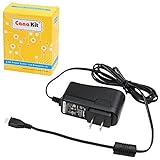
- 4. CanaKit 5V 2.5A Raspberry Pi 3 B+ Power Supply — Best upgrade
- 5. Raspberry Pi 15W USB-C Power Supply — Best premium
- What actually decides a Pi 3 B+ power supply?
- Micro-USB or USB-C: which plug does your board take?
- The undervoltage warning nobody explains
- What more money actually buys here
- The verdict
- FAQ
The best power supply for Raspberry Pi 3 B+ is the iUniker 5V 3A UL-listed adapter, because it delivers the full 3 A the Pi 3 B+ asks for on a micro-USB plug, adds a physical on/off switch, and carries an 18-month warranty. If you need a longer reach from the outlet, the CanaKit 5V 2.5A ships with a 5-foot cable and a noise filter. Both are micro-USB, which is the socket a Pi 3 B+ actually uses.
Best power supply for Raspberry Pi 3 B+ at a glance
| Pick | Output | Cable & plug | Price |
|---|---|---|---|
Best overall iUniker 5V 3A UL Listed |
5V DC / 3.0 A | Micro-USB, on/off switch | Check Price |
Best minimal setup ycwwzzh 5V 3A Adapter |
5V / 3 A claim | Micro-USB, 3.3 ft | Check Price |
Most versatile LitStar 5V 2.5A with Switch |
5V / 2.5 A | Micro-USB, 3.3 ft, switch | Check Price |
Best upgrade CanaKit 5V 2.5A UL Listed |
5V DC / 2.5 A | Micro-USB, 5 ft, noise filter | Check Price |
Best premium Raspberry Pi 15W USB-C Supply |
5.1V / 3 A, 15.3 W | USB-C, 1.5 m (18 AWG) | Check Price |



How I screened the field down to five
The Raspberry Pi Foundation's own recommendation for the Pi 3 B+ is a 5V 2.5A micro-USB supply. Anything below that number is a fail before the article starts. Anything at or above it earns a look, and 3 A gets priority because that's the headroom peripherals eat into.
I lined up the published output figures side by side and cut on three grounds:
- Wrong plug. A USB-C-only adapter can't power a Pi 3 B+ without a coupler you shouldn't rely on. The Raspberry Pi 15W USB-C supply stays in as the honest recommendation for readers already planning a jump to Pi 4 or Pi 5, and it's flagged clearly.
- Vague output. Any listing that hides the amp figure in a paragraph of marketing gets cut. All five picks state 5V and a current figure directly.
- No safety mark or warranty at all. Two of the five are UL Listed; the other three publish a warranty period. The ycwwzzh sits at three months, which is the shortest of the set, and that's why it takes the minimal-setup slot rather than a headline pick.
That leaves four true micro-USB options for the Pi 3 B+, plus one USB-C supply for the reader whose next board is a Pi 4.
1. iUniker 5V 3A UL Listed Power Supply — Best overall
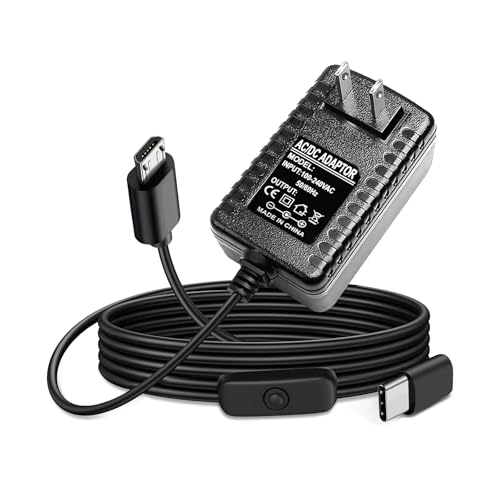
A UL-listed micro-USB adapter that delivers a full 3 A with a physical switch, which is exactly the specification a Pi 3 B+ was designed to accept.
Best for: a Pi 3 B+ running a camera, dongles, or an SSD off the USB ports Skip it if: your board is a Pi 4 or Pi 5 with a USB-C socket
The iUniker is the only pick here that combines three things the Pi 3 B+ actually benefits from: the full 5V DC / 3.0 A output the listing states, a UL listing on the safety side, and an on/off switch built into the cable so you're not pulling the plug every time you reboot. It weighs 3.88 oz and measures 1.18 x 4.72 x 2.76 in, so it's a compact block rather than one of the heavier wall-warts. Input is 100 to 240 VAC, which means it'll travel. The warranty runs 18 months, tying with the LitStar for the longest stated coverage in this set. iUniker explicitly notes the adapter is not compatible with the Pi 4, so read that line before buying if your board has moved on. The trade-off against the CanaKit is cable length: iUniker doesn't publish a figure, and the CanaKit's five feet is a clear win when the Pi lives away from a wall socket.
Pros:
- Full 5V 3A output per the listing, above the Foundation's 2.5 A minimum
- UL Listed, one of only two here
- Inline on/off switch, no plug wrestling
- 18-month warranty, longest of this set
- 100 to 240 VAC input, travels internationally
Cons:
- Cable length not stated in the specs
- Micro-USB only, no future-proofing for Pi 4 or Pi 5
- Only one seller lists it, so restocks may be uneven
2. ycwwzzh 5V 2.5A 3A Raspberry Pi Power Supply Adapter — Best minimal setup
The second-cheapest pick here, with a 3 A output claim on a 3.3-foot micro-USB cable and short-circuit, over-current, over-voltage, and over-temperature protection called out on the listing.
Best for: a headless Pi 3 B+ tucked behind a monitor with nothing plugged in Skip it if: you want a stated warranty longer than three months
If your Pi 3 B+ is running a stripped-down job — Pi-hole, a print server, a home-assistant helper — you don't need bells. The ycwwzzh is a plain micro-USB brick with a 3.3-foot cord and a 5V 3A output claim per the listing, at the entry price band. The seller states input of 100V–240V 50/60Hz and calls out the four standard protections built into the adapter. Weight isn't published, and neither are its dimensions, which is the honest reason it isn't the overall winner. The warranty is the shortest of the set at three months manufacturer coverage, so this is a pick you buy on price and simplicity, not on paperwork. If you're the kind of user who returns things, the CanaKit or the iUniker will treat you better. If you just want a working adapter for a Pi that sits in a corner and runs, this covers it.
Pros:
- 5V 3A output claim, matches the iUniker on paper
- Second-cheapest in this set
- Explicit micro-USB, no adapter needed
- Four listed safety protections
- Compatible with Pi Zero and older Model A/B too
Cons:
- Three-month warranty is the shortest here
- No UL listing on the sheet
- Weight and dimensions not published
3. LitStar 5V 2.5A Raspberry Pi 3 Pi3 B+ Power Supply — Most versatile
A 2.5 A micro-USB adapter with an on/off switch, an 18-month warranty, and stated compatibility across the Pi Zero, Pi 2, and Pi 3 B+.

Best for: a Pi 3 B+, Pi Zero, or older Model B sharing one adapter across projects Skip it if: you plan to add a powered USB hub and a hard drive
The LitStar is the second-lightest brick in the set at 3.21 oz, and it hits the Foundation's 2.5 A recommendation on the nose. The listing states the same 100V–240V input range as the others and calls out short-circuit, over-current, over-voltage, and over-temperature protection. What earns it the versatile slot is the compatibility line: LitStar says the same adapter fits Pi 3, Pi 3 B+, Pi 2, Pi 2 Model B, Pi Zero, and Model A/A+/B/B+. That's the whole micro-USB Pi lineup on one cable, at mid-band pricing, with an on/off switch you can leave taped to a shelf. The cost, honestly stated, is amperage: 2.5 A is fine for a bare board, but if you're stacking a camera, a Wi-Fi dongle, and a USB SSD on the ports, the iUniker's extra half-amp is where you want to be.
Pros:
- 2.5 A output meets the Foundation's minimum for the Pi 3 B+
- Inline on/off switch
- 18-month warranty ties for longest here
- Stated fit across every micro-USB Pi model
- Four listed safety protections
Cons:
- 0.5 A below the iUniker for heavy peripheral loads
- No UL listing published
- 3.3-foot cord is average for the set
4. CanaKit 5V 2.5A Raspberry Pi 3 B+ Power Supply — Best upgrade
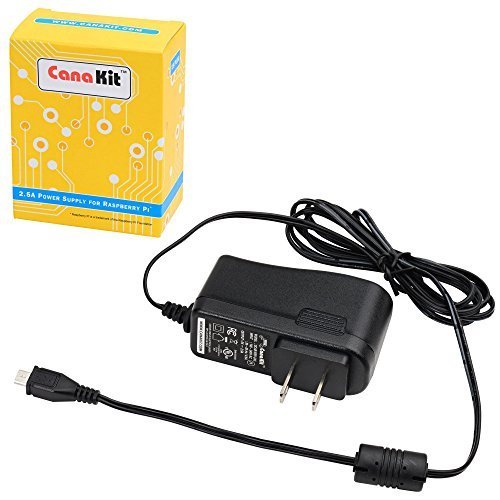
The five-foot cable, the integrated noise filter, and the UL listing put this one on the shelf when your Pi lives further than an arm's length from the outlet.
Best for: a Pi mounted across the room from the nearest outlet Skip it if: you're running heavy USB peripherals that need the full 3 A
CanaKit ships this adapter with the longest cord in the set: five feet, an extra 1.7 feet over the LitStar and ycwwzzh. The listing also calls out an integrated noise filter on the cable and confirms UL listing, which is the other credential Underwriters Laboratories testing gives you. Output is 5V DC / 2.5 A regulated, input 100 to 240 VAC, model DCAR-RSP-2A5, black plastic, 1.25 x 3.75 x 2.75 in. Weight is listed as 0.28 g, which is clearly a listing typo — CanaKit's plug isn't lighter than a paperclip — but the physical spec that matters is the cable, and that number is solid. The Pi Foundation's compatibility note applies: CanaKit states this supply is not compatible with Pi 4 or Pi 5. The trade-off against the iUniker is amperage. You gain reach and a filter, you lose 0.5 A.
Pros:
- 5-foot cable, the longest in this roundup
- Integrated noise filter on the cable
- UL Listed for safety
- Regulated 5V DC / 2.5 A output
- Full 100 to 240 VAC input range
Cons:
- No published warranty on the spec sheet
- 2.5 A rather than 3 A output
- No on/off switch on the cable
5. Raspberry Pi 15W USB-C Power Supply — Best premium
The Raspberry Pi Foundation's own 5.1V 3A supply, on a USB-C plug — the right buy the day you move to a Pi 4 or Pi 5.

Best for: anyone moving from a Pi 3 B+ to a Pi 4 or Pi 5 in the near future Skip it if: your only board has a micro-USB power port
I include this one honestly rather than because it fits a Pi 3 B+. The connector is USB-C, and the Pi 3 B+ uses micro-USB. If you buy this for a Pi 3 B+ you're relying on a plug adapter, and the whole point of a stable supply is not to add resistance in the line. Where it earns its place is the upgrade path: model SC0218, released in 2020, 5.1V 3A output, 15.3 W, a 1.5-metre 18 AWG cable, 12-month warranty, 3.84 oz. That extra tenth of a volt on the output is deliberate; the Foundation designed the Pi 4's power circuitry around it to compensate for cable drop under load. It's the most expensive pick here, and two sellers list it, so stock tends to be steadier than the single-seller listings.
Pros:
- 5.1V 3A output matches the Foundation's Pi 4 spec
- 1.5 m 18 AWG cable, thicker gauge than typical
- Official Raspberry Pi part, model SC0218
- 12-month warranty stated
- Two sellers listed, better restock cadence
Cons:
- USB-C plug, wrong socket for a Pi 3 B+
- The most expensive pick in this set
- No on/off switch on the cable
What actually decides a Pi 3 B+ power supply?
Most guides to the best power supply for Raspberry Pi 3 B+ compare wattage. That's the wrong number. A Pi doesn't care about watts on the label; it cares whether the voltage on its input pin stays close to 5 V when the CPU spikes and the USB ports pull current. Undervoltage is what triggers the little lightning-bolt icon in the top-right of the desktop, and it's what corrupts SD cards over time.
Three things determine whether the rail holds:
- Steady-state current headroom. The Foundation's 2.5 A minimum is the floor for a bare board. Add a keyboard, mouse, Wi-Fi dongle, and a camera, and you want 3 A on the label, not because you'll draw it constantly but because the supply won't sag on transients.
- Cable resistance. A thin, cheap micro-USB cable is the number-one reason a "good" adapter reads low at the board. This is why the Foundation's own USB-C supply uses 18 AWG wire, and why the CanaKit calls out its filter and cord as a package rather than selling a bare brick.
- Voltage regulation under load. UL listing doesn't guarantee this on its own, but the UL-listed options here (iUniker, CanaKit) have to publish an output spec and hold to it. That's why two of my top three carry the mark.
Read the amp figure first, the cable length second, the safety mark third. Do that and you'll dodge the undervoltage warning that dogs half the forum posts about the Pi 3 B+.
Micro-USB or USB-C: which plug does your board take?
The Pi 3 B+ was the last mainline Raspberry Pi to use micro-USB for power. The Pi 4 and Pi 5 use USB-C. If you're buying today for a board you already own, look at the power port on the board itself before you buy anything.
- Micro-USB port on the board: iUniker, ycwwzzh, LitStar, or CanaKit. Any of the four.
- USB-C port on the board: the Raspberry Pi 15W USB-C supply, and nothing else in this roundup.
- Both boards in the house: buy one of each. Don't try to bridge one to the other with a coupler; you'll fight cable drop and connector wobble every time you reboot.
The physical difference matters more than the electrical one. Micro-USB connectors wear out faster than USB-C, and a Pi 3 B+ that's been plugged and unplugged a thousand times may not seat a new cable snugly. If your board is behaving oddly on a known-good supply, the socket is the first suspect.
The undervoltage warning nobody explains
Here's the trick with a Pi 3 B+: when the on-board voltage monitor sees the 5V rail dip below roughly 4.63 V, it raises an undervoltage flag. The desktop shows a yellow lightning bolt. Headless installs log it in dmesg. Most people blame the adapter and buy a bigger one, but the bigger adapter doesn't help if the cable is the bottleneck.
A quick way to diagnose:
- Boot the Pi with nothing plugged into the USB ports and no HDMI attached.
- If the bolt goes away, your peripherals are pulling the rail down and you need more current headroom — the iUniker's 3 A over the CanaKit's 2.5 A is exactly this margin.
- If the bolt persists, swap the cable before you swap the brick. The ycwwzzh and LitStar cables are captive at 3.3 feet, the CanaKit is 5 feet, and the official Raspberry Pi supply is 1.5 m of 18 AWG — thicker wire, lower resistance.
- If a fresh cable and a 3 A supply both fail, the micro-USB socket on the board is likely damaged.
The reason I put warranty coverage in the picks isn't paranoia; adapters that fail slowly — losing voltage regulation over months — are the ones you want to send back.
What more money actually buys here
The five picks span every price band from entry to premium. Here's what each step up delivers, described without dollar figures:
- Entry (ycwwzzh, iUniker): honest 5V output, micro-USB, one seller each. The iUniker adds a UL listing, a switch, and a longer warranty over the ycwwzzh; those are the reasons it takes the top slot despite sitting in the same band.
- Mid (LitStar): the switch, an 18-month warranty, and stated compatibility across every micro-USB Pi. You're paying for coverage and flexibility, not extra amps.
- Premium (CanaKit, official Raspberry Pi): cable quality and brand engineering. CanaKit gives you a five-foot filtered lead for a Pi that lives across the room. The official Raspberry Pi supply gives you the Foundation's own 5.1V regulation and a thicker 18 AWG cord, but only helps a Pi 4 or Pi 5.
The takeaway: if you're spending more, spend it on the cable, not the label. The label says 5 V. The cable decides whether the board sees it.
The verdict
The best power supply for Raspberry Pi 3 B+ is the iUniker 5V 3A UL-listed adapter. It's the only pick that pairs the Foundation-recommended micro-USB plug with a full 3 A output, a UL safety listing, an inline on/off switch, and an 18-month warranty. That combination is why it earns Best overall against a field that's split its strengths across separate products.
Two conditions flip the recommendation. If your Pi is mounted more than a metre from the nearest outlet, the CanaKit's five-foot filtered cable is worth the drop to 2.5 A — you'll gain more from a stable cable run than you'll lose from the missing half-amp. If your next Pi is a Pi 4 or Pi 5, buy the official Raspberry Pi 15W USB-C supply for that board and don't try to make it feed a Pi 3 B+ through a coupler.
The ycwwzzh is the honest budget option when you want a plain 3 A brick and don't need paperwork. The LitStar earns its slot as the versatile switch-cable adapter that fits every micro-USB Pi in the drawer. None of the four micro-USB picks will let you down on a stock Pi 3 B+ — the iUniker just does the most for the fewest compromises.
FAQ
Is a 2.5 A power supply enough for a Raspberry Pi 3 B+?
A 2.5 A power supply meets the Raspberry Pi Foundation's stated minimum for the Pi 3 B+ and runs a bare board without complaint. Add a keyboard, mouse, Wi-Fi dongle, and a camera and you're closer to the ceiling, which is why the iUniker's 3 A output earns the overall pick here. For a headless Pi 3 B+ doing one job, 2.5 A is fine.
Is the official Raspberry Pi USB-C supply worth it for a Pi 3 B+?
The official Raspberry Pi USB-C supply is worth it for a Pi 4 or Pi 5, not a Pi 3 B+. The Pi 3 B+ uses a micro-USB power port, and pairing a USB-C brick with a plug adapter adds resistance and mechanical slop right where you don't want it. Buy this one for your next board and keep a micro-USB adapter on the Pi 3 B+.
Does the iUniker or the CanaKit power the Pi 3 B+ better?
The iUniker delivers more current on paper — 3 A versus the CanaKit's 2.5 A — which matters if you're loading the USB ports with peripherals. The CanaKit answers with a five-foot cable and an integrated noise filter, which matters more when the Pi lives away from the wall. Choose amps for peripherals, cable for reach.
Can I use a phone charger to power a Raspberry Pi 3 B+?
Using a phone charger to power a Raspberry Pi 3 B+ is where most undervoltage warnings start. Phone chargers frequently sag under sustained load, use thin cables optimised for fast-charge negotiation rather than steady 5 V delivery, and rarely publish a real amp figure. A dedicated Pi power supply like the iUniker or CanaKit is regulated for continuous draw and rated in plain amps.
What causes the lightning bolt icon on a Raspberry Pi 3 B+?
The lightning bolt icon on a Raspberry Pi 3 B+ appears when the on-board monitor detects the 5V rail dropping below roughly 4.63 V. The cause is usually a thin cable, an underpowered brick, or peripherals pulling the rail down. Swap the cable first, then move to a 3 A supply like the iUniker, then check the micro-USB socket on the board itself.
If you already own a Pi 3 B+ and you've been chasing the odd reboot or a stubborn lightning bolt, the iUniker is the low-drama fix: a UL-listed, 3 A, switched micro-USB adapter that gives the board the current headroom it was designed around, on the plug it actually accepts. Plug it in, leave it in, and the class of problem where the SD card corrupts overnight quietly disappears. It won't help a Pi 4, and it won't extend a cable across a room — that's what the CanaKit and the official USB-C supply are here for. For the board on your desk, this is the default.