Best Single Drive NAS: Buffalo LinkStation Leads

A ranked look at one ready-to-run single-bay box and four NAS-rated hard drives, sorted by capacity, spindle speed, warranty length and who each one actually suits.

By Samuel HarrisUpdated 15 min read
On this page
- Best single drive NAS at a glance
- How I cut this shortlist down to five
- Enclosure or bare drive: which do you actually need?
- 1. BUFFALO LinkStation 210 2TB 1-Bay NAS Network Attached — Best overall
- 2. MFerraz ST6000NM0115 3.5"-Inch HDD 6TB 7200 RPM 512e SATA — Best upgrade
- 3. MDD MAXDIGITALDATA MaxDigitalData 6TB 7200RPM 128MB Cache — Best premium
- 4. Western Digital WD Red 1TB NAS Hard Disk Drive — Best budget pick
- 5. Western Digital 2TB WD Red Plus NAS Internal Hard Drive — Best minimal setup
- What does more money buy in a single drive NAS?
- What the listings do not tell you
- Living with one bay: what changes day to day
- The verdict
- FAQ
The best single drive NAS here is the Buffalo LinkStation 210, a 2TB one-bay box that arrives with the disk already fitted and carries a 2-year warranty. If you already own an empty enclosure, the 6TB, 7200 RPM MFerraz ST6000NM0115 is the better buy instead. Prices in this category climb in clear steps, and each step buys something different. Entry level gets you a small or renewed disk. The middle buys a finished box you plug into a router. The top of this set buys capacity and spindle speed, nothing more.
Best single drive NAS at a glance
| Pick | Capacity | Warranty | Price |
|---|---|---|---|
Best overall BUFFALO LinkStation 210 2TB 1-Bay NAS |
2TB (1x2TB), disk included | 2 years | Check Price |
Best upgrade MFerraz ST6000NM0115 6TB 7200 RPM |
6TB bare drive 7200 RPM |
90 days limited | Check Price |
Best premium MaxDigitalData 6TB 128MB Cache |
6TB bare drive 7200 RPM |
3 years from reseller | Check Price |
Best budget pick WD Red 1TB NAS Hard Disk Drive |
1TB bare drive 5400 RPM class |
90 days limited | Check Price |
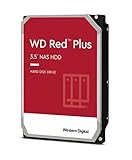
Best minimal setup WD Red Plus 2TB NAS Internal HDD |
2TB bare drive 5400 RPM |
3-year manufacturer | Check Price |




How I cut this shortlist down to five
Three things got listings cut before I compared a single specification.
First, anything that only works in a multi-bay chassis. A drive marketed purely for eight-bay arrays is fine mechanically, but the buying advice around it assumes redundancy you will not have.
Second, listings with no published warranty at all. A disk that spins 24/7 needs a stated cover period, even a short one. All five picks here publish something, from 90 days to 3 years.
Third, anything where the capacity was unclear. "Up to" figures and mismatched title claims are common on renewed storage listings, and one pick here shows why: the MaxDigitalData bullet text mentions 8TB while the specification says 6TB. I went with the specification.
What survived splits neatly into two groups. One finished NAS box with the disk fitted, and four bare 3.5-inch drives at 1TB, 2TB and 6TB. That mix is deliberate. Most people searching for the best single drive NAS are at one of two points: they need the whole thing, or they need the disk that goes in the thing they already bought.
Enclosure or bare drive: which do you actually need?
This is the fork in the road, and getting it wrong wastes the whole purchase.
A single drive NAS in the complete sense is a box with an Ethernet port, a small operating system and a disk inside. Only the Buffalo LinkStation 210 fits that description in this set. It weighs 2.43 lb and measures 8.67 x 9.45 x 3.31 in, which is the footprint of a small hardback book stood on end.
The other four are bare 3.5-inch hard drives. The MaxDigitalData listing spells it out: bare drive only, single pack, no screws, cables or accessories, and it needs formatting before a system will see it. That is normal for internal storage and it is not a defect. It just means you need somewhere to put it.
Work through this in order:
- Do you own an empty single-bay enclosure or a NAS with a free slot? Buy a bare drive.
- Do you own nothing? Buy the LinkStation and you are finished.
- Do you own a NAS whose disk is dying? Buy a bare drive matching or exceeding the old capacity.
- Are you replacing a disk under a support contract? Check whether a renewed drive voids anything before you order.
Skip the enclosure hunt if step 2 describes you. The saving on a bare drive rarely justifies sourcing a caddy separately.
1. BUFFALO LinkStation 210 2TB 1-Bay NAS Network Attached — Best overall
The only pick here that is a working network drive out of the box rather than a component you still have to house.
Best for: someone who wants network storage working tonight with no assembly Skip it if: you need to swap in a bigger disk later
What separates the LinkStation from the four drives below it is that nothing else is required. The 2TB disk is fitted, the model is LS210D0201, and the released date on the listing is 2020. Buffalo describes it as a value NAS you connect to your router for shared storage across your devices, with Windows and macOS compatibility and 24/7 US-based support. The company also markets it as a subscription-free personal cloud, which matters more than it sounds: no monthly fee means the running cost is electricity alone.
The 2-year warranty is the second-longest in this set, behind two 3-year figures on bare drives. On a finished appliance that cover includes the enclosure, the power supply and the controller board, not just the platters.
Buffalo says the LS200 series runs a closed system to reduce vulnerabilities from third-party apps, with SSL encryption. Read that honestly. A closed system is safer and less flexible. There is no app store here, no container support, no plugin ecosystem. Backup software and the NAS Navigator utility are included, and the listing notes NAS Navigator 2 covers macOS 15 and earlier.
The trade-off against the rest of this set is capacity per dollar. Buffalo's own listing points you toward its LS 700 line for faster performance and cloud features, and 2TB is a third of what the 6TB drives here offer.
Pros:
- Disk already installed, no enclosure needed
- 2-year warranty covering the whole appliance
- Subscription-free cloud access, no monthly fee
- Compact 8.67 x 9.45 x 3.31 in footprint
- Includes backup software and NAS Navigator utility
Cons:
- 2TB is the smallest usable capacity among the non-1TB picks
- Closed system blocks third-party apps entirely
- Buffalo's own copy points to a faster newer series
- Roughly mid-range pricing for entry-level capacity
2. MFerraz ST6000NM0115 3.5"-Inch HDD 6TB 7200 RPM 512e SATA — Best upgrade
Six terabytes at 7200 RPM with a 256MB cache, the fastest and largest specification in this group.

Best for: filling an empty bay with the fastest disk in this set Skip it if: a 90-day warranty on a renewed drive worries you
This is the specification leader. The 256MB cache is double the MaxDigitalData drive's 128MB and four times the 64MB on both WD Red picks. Spindle speed is 7200 RPM against 5400 RPM class on the WD units. The interface is SATA 6Gb/s, model ST6000NM0115, and the drive weighs 1 lb with listed dimensions of 1 x 5.8 x 4 in, standard 3.5-inch form factor.
MFerraz describes it as enterprise-class, designed for 24/7 operation and suited to servers, NAS systems and RAID arrays, with enhanced vibration tolerance for multi-drive systems. Vibration tolerance is engineered for neighbouring disks in a chassis, so in a one-bay box that particular claim buys you nothing. The 7200 RPM spindle and large cache still do.
Two things to weigh. The drive is renewed, and the warranty is 90 days limited, the shortest here alongside the WD Red 1TB. It also sells noticeably faster than the other bare drives in this group, which suggests the capacity-to-price position lands well for buyers filling bays.
Only one seller lists it. That is worth knowing if you plan to buy two later for matching capacity, because a single-source listing can vanish.
The trade-off is heat and noise against the 5400 RPM alternatives. Faster platters run warmer and louder, which is a real consideration in a small enclosure on a desk.
Pros:
- 6TB, the largest capacity here alongside MaxDigitalData
- 256MB cache, double the next-best figure
- 7200 RPM, faster than both WD Red picks
- Sells faster than the other bare drives in this set
Cons:
- 90-day limited warranty, the shortest here
- Renewed rather than factory-new
- Only one seller lists it
- 7200 RPM runs hotter and louder in a single-bay box
- Vibration tolerance is wasted in a one-disk setup
3. MDD MAXDIGITALDATA MaxDigitalData 6TB 7200RPM 128MB Cache — Best premium
Matches the 6TB, 7200 RPM specification but pairs it with a 3-year reseller warranty instead of 90 days.

Best for: a 6TB NAS drive with the longest cover here Skip it if: you want a factory-new disk
The warranty is the story. This drive is renewed, like the MFerraz unit, but the listing states 3 years of cover from the reseller rather than 90 days. Over a disk's working life that difference matters more than most specifications do, because mechanical storage fails on a curve that a three-month window barely touches.
Specifications: 6TB, 7200 RPM, 128MB cache, SATA 6.0Gb/s, silver, model MD6000GSA12872NAS, dimensions 1 x 5.8 x 4 in. MaxDigitalData markets it for hyperscale and cloud data centre use, calls it NAS-optimised, and lists desktop PC and Mac, RAID, NAS, CCTV DVR and surveillance as supported uses.
Read the listing carefully before ordering. One bullet references 8TB and a cache of up to 128MB while the specification says 6TB. I treated the specification as authoritative, but a mismatch like that tells you the copy is recycled across a product family.
Setup is bare-bones. No screws, no cables, no accessories, and the listing reminds you to format the disk before your system will detect it. Only one seller stocks it.
This is the most expensive pick here, and it buys warranty length rather than raw speed or capacity beyond what the MFerraz drive already offers. Its cache is half as large. If cover period is not your priority, you are paying more for less.
Pros:
- 3-year reseller warranty, the longest in this set
- 6TB capacity at 7200 RPM
- Listed for NAS, RAID, DVR and surveillance use
- Standard 3.5-inch fit at 1 x 5.8 x 4 in
Cons:
- The most expensive pick here
- 128MB cache, half the MFerraz drive's figure
- Listing copy contradicts itself on capacity
- Renewed, with no included screws or cables
- Only one seller lists it
4. Western Digital WD Red 1TB NAS Hard Disk Drive — Best budget pick
The cheapest of the five and the lightest at 0.99 lb, but 1TB is a hard ceiling.
Best for: a cheap test disk or a small backup target Skip it if: 1TB will fill up inside a year
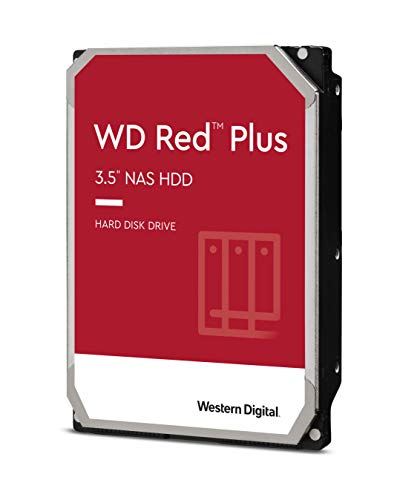
If you want to find out whether a single-bay setup suits you before committing real money, this is the disk to do it with. It is the cheapest of the five, weighs 0.99 lb, measures 5.79 x 4 x 1.03 in and carries model number WD10EFRX. Interface is SATA 6 Gb/s, spindle speed 5400 RPM class, cache 64MB.
WD's NAS pedigree is the draw. The listing states NASware firmware for compatibility, 24x7 reliability testing, and a design intended for NAS systems with up to 8 bays. In a single-bay enclosure that headroom is unused, but the firmware behaviour that makes a drive tolerate constant spin-up and network idling is exactly what you want.
Watch the warranty language. This is a certified refurbished unit, tested and repackaged, and the specification field states 90 days limited even though a feature bullet mentions a 3-year limited warranty. The shorter figure is the one in the specifications. Only one seller lists it.
The real constraint is capacity. 1TB is a sixth of what the 6TB drives hold and half the LinkStation's fitted disk. Photo libraries and video reach that in a hurry, and with one bay there is no adding a second disk to grow.
Its trade-off against the others is straightforward: lowest cost, lowest capacity, shortest cover.
Pros:
- The cheapest of the five picks
- Lightest disk here at 0.99 lb
- NASware firmware and 24x7 reliability testing
- Low-cost way to trial a single-bay setup
Cons:
- 1TB, the smallest capacity in this set
- 90 days limited warranty per the specifications
- Feature bullet and specification disagree on warranty
- Certified refurbished, not new
- Slowest seller of the five
5. Western Digital 2TB WD Red Plus NAS Internal Hard Drive — Best minimal setup
The only factory-new bare drive here, with a 3-year manufacturer warranty and a 180 TB/yr rated workload.

Best for: a new, quiet 2TB disk with a 3-year manufacturer warranty Skip it if: you need speed over silence
Three of the four bare drives in this comparison are renewed. This one is not, and that changes the calculation. The warranty is 3 years from the manufacturer rather than a reseller or a 90-day window, and several sellers stock it, so you are not depending on a single listing staying live.
The numbers: 2TB, 5400 RPM, 64MB cache, SATA 6 Gb/s, CMR recording, 1.32 lb, 1 x 5.8 x 4 in, listed model AU-44LB-F32X. CMR matters for a NAS. Shingled recording can slow badly during sustained writes and rebuilds, and WD naming this in the title is a useful signal.
Western Digital lists support for up to 8 bays across a 1-14TB family, NASware firmware, and a workload rate of up to 180 TB/yr, defined as user data transferred to or from the drive. That is a published endurance figure, and none of the other four picks state one. For a home NAS moving backups and media, 180 TB/yr is generous headroom.
The 5400 RPM spindle is the quietest and coolest option here, which suits a box living in a bedroom or a shared office.
The trade-off is throughput. Against the 6TB drives you give up a third of the spindle speed, three quarters of the cache and two thirds of the capacity, and the second-cheapest position here reflects that.
Pros:
- Factory-new, not renewed
- 3-year manufacturer limited warranty
- Published 180 TB/yr workload rating
- CMR recording, better for sustained writes
- Several sellers stock it
Cons:
- 5400 RPM, the slowest spindle here
- 64MB cache, a quarter of the MFerraz figure
- 2TB against 6TB on the premium picks
- Listed model number does not match WD20EFRX in the title
What does more money buy in a single drive NAS?
The three price tiers in this set buy three genuinely different things, and knowing which you are paying for prevents most regret.
Entry tier. Both WD Red drives sit here. What you get is a NAS-rated disk with the right firmware and a modest capacity: 1TB renewed, or 2TB new with a 3-year warranty. Neither is fast. Both are quiet.
Middle tier. The LinkStation 210 alone. The money goes on hardware you would otherwise buy separately: an enclosure, a power supply, an Ethernet controller, management software and 2 years of cover across all of it. Capacity stays at 2TB.
Premium tier. The two 6TB drives. Here the money buys capacity and spindle speed, and nothing else. Both are renewed. Neither includes screws or cables. The MFerraz drive spends the premium on cache; the MaxDigitalData drive spends it on warranty length.
The pattern is clear once you see it. In the best single drive NAS market, more money does not buy more polish. It buys either completeness or raw capacity, and you have to decide which gap you are filling.
What the listings do not tell you
Storage listings leave out things you would want to know, and single-bay buyers get hit hardest by the omissions.
- Noise figures. No pick here publishes an idle or seek acoustic rating. Spindle speed is your only proxy: 5400 RPM class is quieter than 7200 RPM.
- Power draw. Nothing in this set states watts. A single 3.5-inch disk plus enclosure is modest, but you cannot compare these five on it.
- Actual formatted capacity. A 2TB disk presents less than 2TB after formatting. Every drive works this way.
- What "renewed" involved. The WD Red 1TB listing describes functionality testing, cleaning, inspection and repackaging. The other two renewed drives say less.
- Drive-to-enclosure compatibility. A bare drive fits physically but firmware support varies by enclosure. Check your box's compatibility list.
One more gap worth naming: none of the bare drives states a manufacture date or accumulated power-on hours. On a renewed disk that is the single most useful number, and it is absent from all three.
Living with one bay: what changes day to day
One bay means no redundancy. That is not a fault in a single drive NAS, it is the definition of one, but it reshapes how you use the thing.
Your backup lives elsewhere. A one-disk NAS is a convenience layer, not a safety net. When that disk fails, and mechanical disks do fail, everything on it goes with it unless a second copy exists on a different device.
Upgrades mean migration, not addition. With multiple bays you add a disk. With one bay you copy everything off, swap the disk and copy it back. Buying the largest capacity you can justify up front saves that afternoon later, which is the strongest argument for a 6TB drive over 2TB.
Expect it to be always on. Every drive here is described as suited to 24/7 or 24x7 operation. That is how NAS disks are designed to run, and constant spinning is gentler than repeated spin-up cycles.
Placement matters more than usual. There is no fan array to hide behind, so put the unit somewhere with airflow and away from your desk if you chose a 7200 RPM disk.
The verdict
Three tiers, three different answers, and the tier you belong to depends entirely on what you already own.
At the entry end, the WD Red Plus 2TB is the pick. It is the only factory-new bare drive here, the warranty is 3 years from Western Digital, the workload rating is 180 TB/yr and the 5400 RPM spindle keeps it quiet. If 2TB is enough, this is the safest disk in the group.
In the middle, the Buffalo LinkStation 210 takes the overall win because it removes every remaining decision. Disk fitted, 2TB, 2-year warranty across the whole appliance, no subscription, and it works as soon as it reaches your router. For anyone who owns no enclosure, this is the shortest path to network storage, and that is why it heads the best single drive NAS ranking here.
At the premium end, capacity decides it. The MFerraz ST6000NM0115 gives you 6TB at 7200 RPM with a 256MB cache, triple the LinkStation's storage. The MaxDigitalData 6TB matches the capacity and speed, halves the cache to 128MB and answers with a 3-year reseller warranty against 90 days. That warranty is its exact advantage over the MFerraz drive, and if you plan to run the disk for years rather than months, it is the one to buy.
FAQ
Is a single drive NAS worth buying at all?
A single drive NAS is worth buying when you want files reachable from every device on your network without paying a monthly cloud fee, which the Buffalo LinkStation 210 does with its 2TB disk already fitted. It is not worth buying as your only copy of anything important. One disk means one point of failure, so keep a second copy elsewhere.
What is the best value pick in this group?
The best value pick depends on whether you own an enclosure. If you do, the WD Red Plus 2TB gives you a factory-new disk, a 3-year manufacturer warranty and a 180 TB/yr workload rating at the second-cheapest position here. If you own nothing, the LinkStation 210 wins on value because it includes the box, the software and the disk together.
Will a 6TB bare drive fit a single-bay enclosure?
A 6TB bare drive fits any enclosure built for a 3.5-inch disk, and both 6TB picks here list dimensions of 1 x 5.8 x 4 in, the standard form factor. Physical fit is not the issue. Check your enclosure's supported capacity list first, because older single-bay boxes sometimes cap out below 6TB in firmware regardless of the slot size.
MFerraz 6TB or MaxDigitalData 6TB: which should I choose?
Choose between these two on warranty and cache. The MFerraz ST6000NM0115 has a 256MB cache against 128MB, so it handles bursts of writes better, but its cover is 90 days limited. The MaxDigitalData drive states a 3-year reseller warranty and costs more. Longer run time favours the warranty; heavier daily transfers favour the cache.
What mistake do first-time buyers make in this category?
The most common mistake in this category is buying a bare hard drive expecting a working network device. Three of the five picks here are drives only, and the MaxDigitalData listing states plainly that no screws, cables or accessories are included and the disk needs formatting first. Confirm you own an enclosure before ordering anything described as an internal hard drive.
Start by answering one question: do you already have somewhere to put a disk? If the answer is no, order the Buffalo LinkStation 210 and you are done in an evening, because the 2TB drive is fitted and the 2-year warranty covers the enclosure and controller alongside the platters. Every other pick here assumes you have solved that problem already. And if you have, buy more capacity than you think you need, since one bay means the next upgrade is a full migration rather than a second disk slotted in beside the first.